



The special intensive revision (SIR) of the electoral roll is a highly important project of the Election Commission of India (ECI) to make the voter database as accurate and up-to-date as possible. This revision is needed to ensure that all qualified voters have been added to the electoral roll and any duplicates and any old records are removed. It is conducted on a regular basis and mostly during significant elections. And this SIR process is significant in keeping the Indian democratic system transparent and fair.
The SIR enhances the fundamental democratic principle of one person, one vote to ensure that any data regarding voters is accurate and precise.” Regardless of whether you are just updating your current information or are a new voter, by participating in this process, you are making the electoral system stronger.
We will provide you with a full step-by-step guide on how to fill the SIR Form online—making it easy, secure, and accessible for all citizens, even those with minimal technical knowledge.
Essential Requirements Before You Create an Account
Before starting the online process on this site, make sure you have:
- Your EPIC (Voter ID) number.
- An Aadhaar card must have your name exactly match your Voter ID.
- You have to link your mobile number to your EPIC for OTP verification.
- Get access to the internet to complete the e-sign process online.
Having these ready will help avoid any delays during the form submission.
Follow this Step-by-Step Process to Fill the SIR Form Online
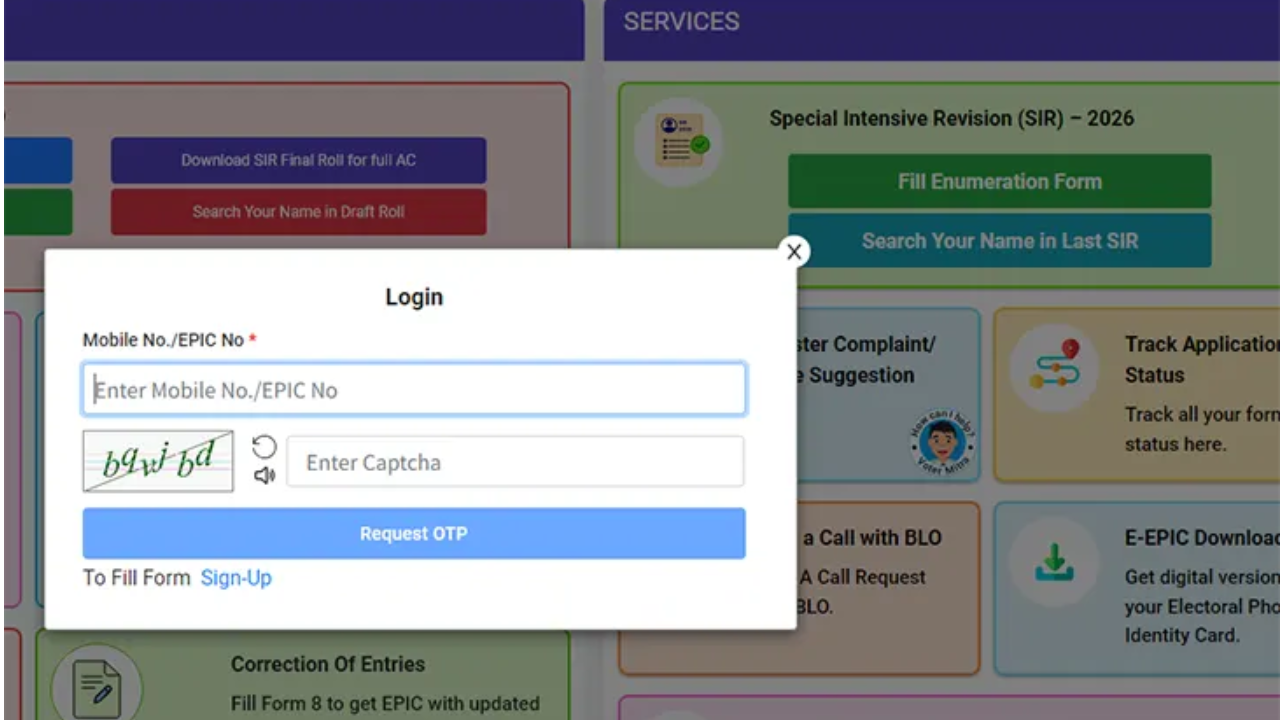
- Firstly, go to the official webpage of the Election Commission of India.
- Next, select the SIR under the Fill Enumeration Form.
- Once you are logged in, you are required to choose your State, such as “Mumbai” out of the dropdown list.
- Thereafter, you should key in your EPIC number (Voter ID number) in the field given and press the Search button. And when you are checked, your voter information will be prefilled on the screen.
- Note: The name must be similar to the Aadhaar name with which you are eSigned.
- Thereafter, you will need to confirm that the OTP code will be dispatched to your mobile phone number that is tied to your EPIC. Input the OTP to continue. In case your number is not connected, then you must complete Form 8 in order to change it.
- Enter your personal information, then, Electoral Roll, Father, Mother, Grandfather, and the current names of parents in the electoral roll.
- Unless your name is on the final voter list, include the details of your family members to show your relationship.
- Authenticate your Aadhaar where required and ensure that your information is accurate with eSign.
- Proofread your form thoroughly, and then check the declaration box and submit.
Note: You must use eSign to submit. If you don’t qualify, give the form to your Booth Level Officer instead.
Final Word
Filling the SIR Form online is a very easy and secure process that helps make sure voter details are correctly updated in the electoral roll. By logging into the Voter’s Service online portal and having to verify your EPIC and Aadhaar details, and submitting the form through eSign. Then you can finish the enumeration process from the comfort of your home. Ensure your Aadhhar name matches your ID, and your mobile number is linked for seamless verification.
Read More: 5starsstocks.com Nickel Market Insights: Demand, Supply and Investment Strategies
